





Windows 11 Inspired Windows 10 Hero Wallpaper: Download Guide
A fan has remade the Windows 10 Hero wallpaper in the visual style of Windows 11, and you can download this Windows 11 inspired Windows 10 Hero wallpaper right now for free. One hard constraint before clicking anything: the file is 1920×1080 only. If your monitor runs above 1080p and resolution fidelity matters to you, skip this file entirely. The official Hero variants go up to 4K and are already stored locally at %SystemRoot%\Web\Wallpaper\4K on any Windows 10 machine, according to the Windows Wallpaper Wiki (November 2025). No download required.
For 1080p users, it is a clean fit: the same composition most Windows users will recognize on sight, reinterpreted through the softer, lighter palette of Windows 11. Two things to note up front: a free DeviantArt account is required to get the actual file rather than the compressed preview, and this is unofficial fan art intended for personal desktop use only. No redistribution.
What makes this more interesting than a generic fan edit is what Hero actually was. Microsoft physically built a set with lasers, fog, and LEDs, shot it with a 34-person crew, and publicly confirmed it was "a real image" rather than a Photoshop composite, as Neowin reported during the original Windows 10 reveal. A fan has now taken that image and reinterpreted it through a Windows 11 lens. The lineage is real, even if this version is not official.
Where to download the Windows 11 inspired Windows 10 Hero wallpaper
The file lives on DeviantArt. The direct link is the "Windows 11 Hero" post by gggggggggggqe, published in October 2024 and still live at that address. Everything below assumes that link works when you visit it.
What you need before starting: A free DeviantArt account. Without one, you will only see the compressed preview image on the page, which is noticeably softer than the actual download file. Registration takes about a minute.
Step 1: Open the DeviantArt post.
Go directly to the "Windows 11 Hero" post by gggggggggggqe on DeviantArt. Bookmark it before logging in if that is easier.
Step 2: Log in to your DeviantArt account.
The Download button only appears to logged-in users. Sign in before attempting to download. If you do not have an account, register at deviantart.com first.
Gotcha: Do not right-click and save the image as it appears on the page. That version is a display-compressed preview, smaller and softer than the file behind the Download button. It will look noticeably worse on your desktop.
Step 3: Click Download and save the file.
The download is a JPEG, 1920×1080px at approximately 260 KB, per the DeviantArt listing. Save it to your Pictures folder or wherever you keep desktop assets.
Step 4: Apply it as your wallpaper.
Right-click the file in File Explorer and select Set as desktop background. Windows applies it immediately on both Windows 10 and Windows 11.
To control how it fits your screen, go to Settings → Personalization → Background and adjust the Fit option. For standard 16:9 displays at 1080p, Fill works without cropping. For monitors running above 1080p, the image will be upscaled. Expect visible softness at 1440p and clear blur at 4K.
Gotcha for multi-monitor setups: Windows sometimes mirrors or stretches a wallpaper across multiple displays by default. If that happens, right-click the desktop, open Personalize, and configure each display's wallpaper individually under Background settings. The option is per-monitor, not global.
Step 5: Evaluate what you're looking at.
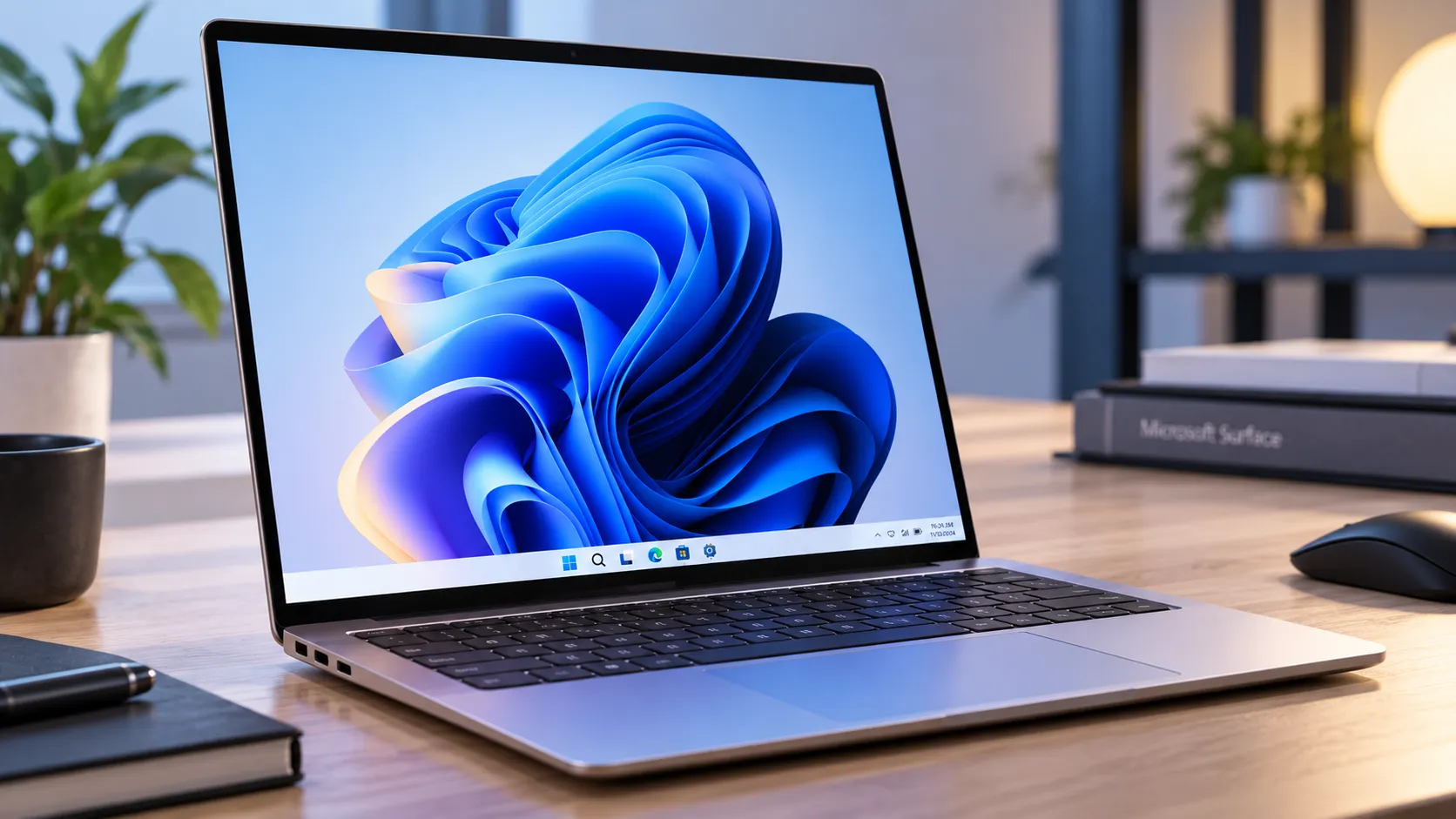
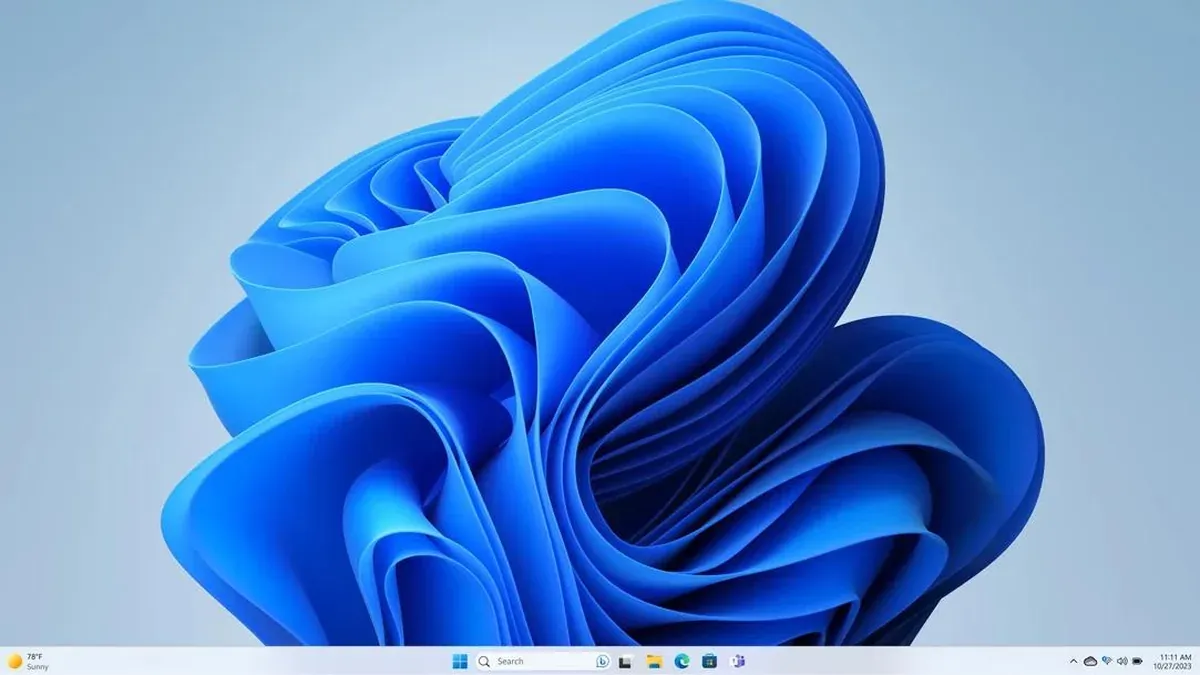
The remake translates the original Hero composition into a visual language that fits Windows 11. What changes: the background shifts from Hero's deep navy-black toward a lighter, cooler tone; the glow around the logo is less intense and more diffuse; the overall mood sits closer to Windows 11's Bloom wallpaper than to Hero's original drama. What stays: the core composition, the Windows logo framed by light, remains recognizable to anyone who used Windows 10 between 2015 and 2019.
The creator's own description is disarmingly direct: "Windows 10 OG Hero wallpaper created in the style of Windows 11. It's simple."
If the result looks blurry or pixelated, your display is running above 1080p and the file has hit its ceiling. The wiki lists official Hero variants up to 4K, stored locally at %SystemRoot%\Web\Wallpaper\4K on any Windows 10 machine (November 2025). That path is the better option when fidelity matters.
Is this fan-made Windows 10 Hero wallpaper remake worth downloading?
Download it if:
- Your display runs at 1920×1080. The file is native resolution and will render without upscaling artifacts.
- You are on Windows 11 and want a wallpaper that feels at home there while nodding to something familiar. The remake sits deliberately between the two eras; that is the entire premise.
- You want a fast, free desktop change with no installers and no accounts beyond the free DeviantArt login.
- You prefer lighter desktop themes. The remake's palette aligns with Windows 11's default light-mode aesthetic more naturally than the original Hero does.
Skip it if:
- Your display runs at 1440p or higher. Upscaling softens the image enough to undermine it; at 4K, the result is noticeably degraded.
- You want the actual Hero look. The original remains available locally on Windows 10 machines in official higher-resolution variants. This fan version is a deliberate stylistic departure, and the creator makes no claim otherwise.
- You want to redistribute or reuse the file. This is fan art derived from a copyrighted Microsoft visual asset. Personal desktop use is the safe and intended application; anything beyond that raises different questions.
Why Hero keeps getting remade and why Microsoft did it first
To understand why this Windows 11 style Windows 10 wallpaper remake is more than a novelty, it helps to know how long Hero ran and what Microsoft actually did with it afterward.
Hero served as the default Windows 10 wallpaper from the OS's 2015 launch through version 1809, covering Windows Server 2016 and 2019 as well, according to the Windows Wallpaper Wiki (November 2025). For the better part of four years, that image was the first thing hundreds of millions of people saw on a fresh Windows desktop. The 34-person production team, the physical set, the laser-and-fog setup: Microsoft invested in that image because, as Neowin noted at launch, the default wallpaper on a platform targeting a billion users was genuinely high-stakes creative real estate. You do not build a physical set and hire a production crew for a throwaway asset.
That investment also explains why Microsoft kept returning to it. When Windows 10 introduced system-wide light mode with version 1903 in May 2019, Microsoft did not add a light variant alongside the original. It replaced Hero outright with a lighter version, bringing designer Bradley G. Munkowitz (GMUNK) back to shoot it under the same physical production methodology, the wiki notes (November 2025). This was not a Photoshop adjustment. They rebuilt it from scratch on the same set.
That revised version then became the basis for the Pride 2019 downloadable theme, 19 wallpaper variations with pride flag colors worked into the Windows logo, per the Windows Wallpaper Wiki (November 2025). A Pride 2020 Flags theme followed the next year, shifting the background colors rather than the logo. A light-purple derivative of that same 2019 version became the default wallpaper for Windows 365 cloud-hosted virtual machines, according to the same wiki entry (November 2025). One photograph, physically produced, generated a small ecosystem of official derivatives across four product lines.
The connection between Hero and Windows 11 is not purely fan-made, either. During early Windows 11 development, an unshipped Hero variant surfaced in self-hosted builds 21370 through 21380 as a placeholder for the dark Bloom wallpaper. The wiki describes it as showing different lighting reminiscent of natural sunlight, the physical production set still visible in frame, and extra lens flares (November 2025). Windows Central covered the leaked builds in June 2023. Microsoft was already asking what Hero looked like in a Windows 11 context before any fan was.
That history changes how to read this download. The DeviantArt upload is not a quick filter pass or a random color grade. It is working in a tradition Microsoft itself established across multiple product releases: take the Hero composition, ask what it looks like under different light, and publish the answer. The fan version does this without the production budget, but the logic is identical. For 1080p users who have been sitting on a generic desktop, that context is a reasonable nudge to give it a try.
Conclusion
Go to the DeviantArt post, log in, click Download, right-click the saved file in File Explorer, and select Set as desktop background. Two minutes, start to finish.
Download it if you are on a 1080p display and want a wallpaper that bridges the Windows 10 and Windows 11 visual eras. Skip it if you need higher resolution or want the authentic Hero look. For 4K displays, %SystemRoot%\Web\Wallpaper\4K already has what you need, no download necessary.



Comments
Be the first, drop a comment!