





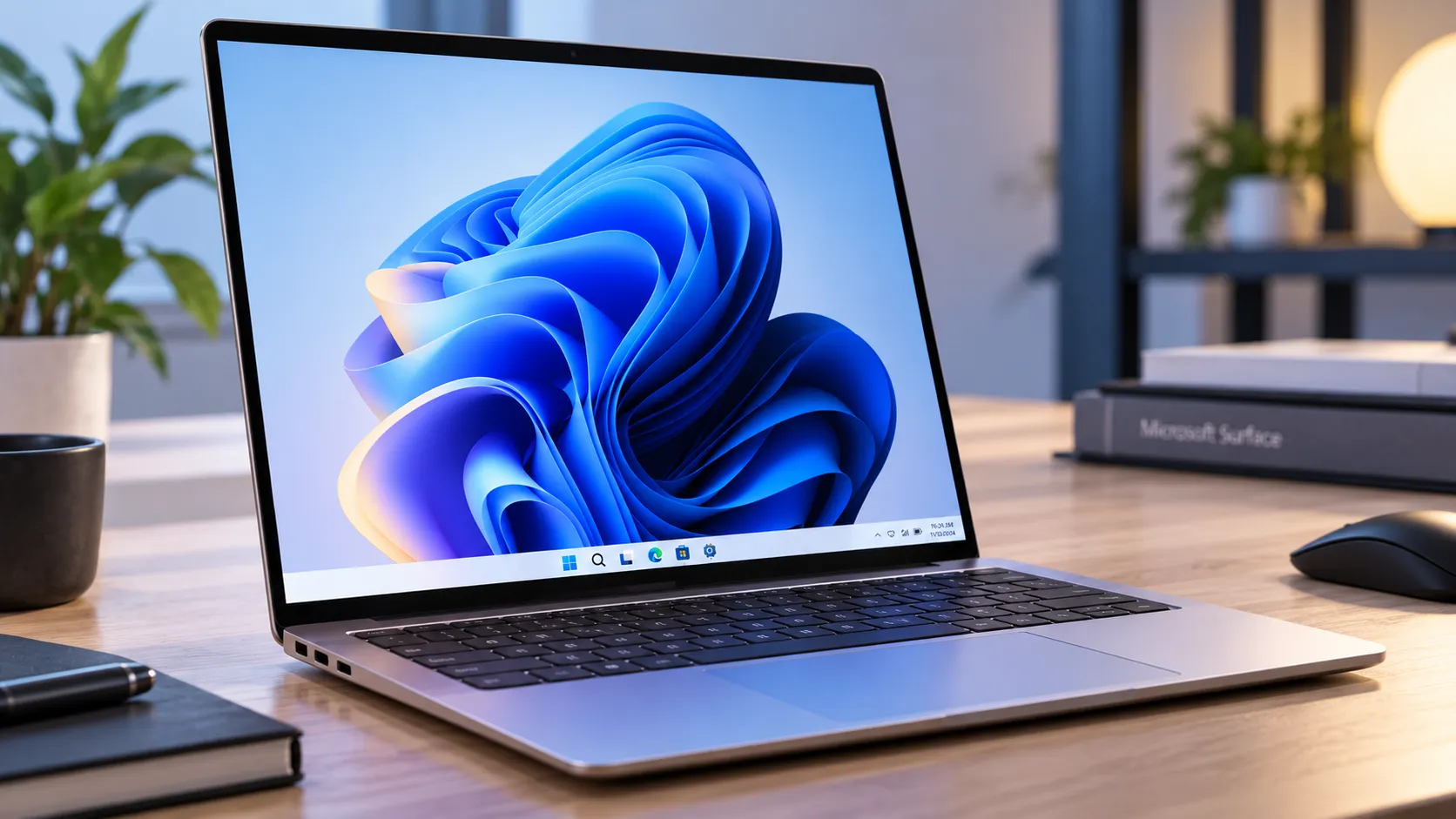
Microsoft's Surface Laptop Ultra pairs Nvidia's RTX Spark SoC with up to 128GB of unified memory and up to 1 petaflop of AI compute. The company has confirmed a $2,599.99 starting price, with preorders open ahead of its Oct. 16 release.
This Surface Laptop Ultra preview examines the confirmed specifications, Microsoft's performance measurements, and the battery and compatibility questions that remain for AI developers.
Engadget's Oct. 7 hands-on called the device a potential dream machine for AI developers who want 128GB of RAM in something portable. Reviewer Devindra Hardawar also wrote that it "feels better than any other Windows laptop" he had held before. That's a genuine first impression from time with the hardware, but not a completed battery, thermal, or noise test.
Microsoft has published battery estimates and details about the laptop's cooling system. However, sustained AI performance and unplugged inference endurance remain important unknowns. Those measurements will help determine whether the Surface Laptop Ultra can deliver its promised computing power away from a desk.
Surface Laptop Ultra for AI developers: who should watch this now
Three distinct buyers have different reasons to consider the Surface Laptop Ultra. GitHub Copilot users interested in local coding inference have a specific upcoming software capability to watch. Developers who need to fit unusually large models in memory get a confirmed capacity, though not a guarantee of performance for every workload. Creators handling large video, rendering, or diffusion projects also have a potential option, although independent application benchmarks remain limited.
According to Microsoft's Oct. 7 announcement, Surface Laptop Ultra preorders are open, with general availability beginning Oct. 16.
The laptop starts at $2,599.99 in the US. Entry-level configurations have less memory than the 128GB maximum, so developers interested in the full capacity need to choose a higher-end model.
The Verge reports that the entry-level configuration includes an 18-core CPU, 24GB of unified memory, and 512GB of storage. A configuration with 20 CPU cores, 128GB of memory, and 1TB of storage costs $5,899.99.
That price difference matters because the laptop's strongest argument for local AI development depends partly on how much memory a buyer can afford. The entry-level model won't accommodate the same workloads as a 128GB configuration.
Surface Laptop Ultra RTX Spark specs: can it fit large AI models?
The hardware specifications are substantial. Microsoft's Surface Laptop Ultra product page confirms an Nvidia Grace CPU with up to 20 cores, a Blackwell RTX GPU, and up to 128GB of unified memory.
The GPU offers up to 6,144 cores, while Microsoft advertises up to 1 petaflop of AI performance. That compute figure represents theoretical FP4 performance using sparsity, rather than a measured result across everyday AI applications.
Microsoft says the system can run AI models exceeding 120 billion parameters locally, depending on model format and configuration.
The company's October technical post provides a more specific example. Its quantized MAI Code 1.1 Flash model occupies approximately 53GB, an 80% reduction from the Bfloat16 cloud version, and reaches 75.5GB of peak memory usage at a 256K context window.
Those figures appear in Microsoft's local AI documentation, which also explains why unified memory can help accommodate large models.
Instead of dividing system RAM and dedicated GPU memory into separate physical pools, the architecture allows the CPU and GPU to access shared memory. That can reduce data-transfer overhead and increase the memory capacity available to certain workloads.
However, the full 128GB isn't available exclusively to model weights. Windows, applications, the inference runtime, and the model's key-value cache also consume memory.
The 128GB maximum is therefore a meaningful capacity advantage for local inference, but buyers still need to account for the complete workload rather than model size alone.
Does it respond quickly? What Microsoft's numbers do and don't prove
Microsoft reports prompt-processing throughput of 923.5 tokens per second at 64K context and 769.8 tokens per second at 128K context for MAI Code 1.1 Flash running locally.
Those are specific performance measurements, but they describe how quickly the system processes an input prompt rather than how quickly it generates a response.
The distinction matters because prompt processing and token generation place different demands on hardware. Generating responses can be constrained by memory bandwidth, cache behavior, context length, and the inference runtime.
Microsoft's technical post also includes decode-throughput results from synthetic code-generation testing conducted Oct. 5, using a Windows ARM64 llama.cpp CUDA runtime with speculative decoding.
That provides additional evidence beyond prompt-processing speed, although the published tests don't establish performance across every model, runtime, or developer workload.
Microsoft also reports that the quantized MAI Code 1.1 Flash model scored 70.8% on SWE-bench Verified and 66.29% on Terminal-Bench 2.1 under its evaluation setup.
These are company-reported model evaluation results, not independently reproduced laptop benchmarks. They measure coding-task performance under the disclosed configurations rather than general responsiveness across all applications.
The remaining question is how Surface Laptop Ultra performs across sustained, realistic workloads compared with alternative AI laptops and desktop GPUs. Independent testing of response-generation speed, memory usage, and performance consistency will provide a clearer answer.
Surface Laptop Ultra hands-on: build quality confirmed, portability still unproven
Engadget's Surface Laptop Ultra hands-on was positive about the fit and finish. The aluminum case, bright display, and understated design left a strong impression, with the reviewer comparing its appearance to a MacBook Pro.
Microsoft has also confirmed several hardware details that give the laptop broader appeal beyond AI development.
The 15-inch PixelSense Ultra touchscreen supports a 120Hz refresh rate and up to 2,000 nits of peak HDR brightness. That brightness figure applies to specific HDR conditions, not sustained full-screen brightness.
The laptop weighs less than 4.5 pounds and measures less than 18 mm thick. Its connections include three USB-C ports, HDMI, USB-A, an SD card reader, and a headphone jack.
Microsoft also introduced a magnetic USB-C charging connection, allowing the supplied charging cable to detach more easily while retaining the port's standard USB-C functionality.
Those features strengthen the laptop's appeal as a premium portable workstation. However, a short hands-on session establishes impressions rather than conclusions about sustained performance.
Engadget's initial coverage doesn't provide a complete battery rundown, extended thermal measurements, or fan-noise testing during local AI workloads.
A bright panel and solid construction may make the Surface Laptop Ultra appealing to use, but they don't establish what happens during a lengthy inference job with the charger unplugged.
What happens when you unplug it: the battery and thermal unknowns
Microsoft now provides two official battery estimates for Surface Laptop Ultra: up to 15 hours of local video playback and up to 12 hours of active web browsing.
According to Microsoft's battery-testing documentation, both estimates come from internal testing conducted in September 2026 using preproduction hardware and software.
The test configuration included an RTX Spark N1X GPU with 6,144 cores, 64GB of memory, and 1TB of storage. Microsoft set display brightness to 150 nits for the video and browsing tests.
Those numbers provide a baseline for lighter activities, but they don't establish how long the laptop can sustain local AI inference, video rendering, or other demanding workloads on battery power.
Earlier third-party analysis modeled substantially shorter endurance for heavy AI usage using assumed power consumption and battery capacity. However, those calculations weren't measured results from a shipping Surface Laptop Ultra and shouldn't be treated as reliable runtime predictions.
Microsoft also describes a redesigned cooling system with up to 2.5 times the thermal capacity of the Surface Laptop 15-inch (8th Edition).
The company says its larger fans can move more air at lower speeds, potentially improving cooling and acoustics during demanding tasks.
That is a manufacturer claim about the cooling architecture, not independent confirmation of sustained performance or noise levels.
For developers considering this machine as a portable AI workstation, the most useful tests will measure local inference speed, battery drain, fan noise, and surface temperatures during extended workloads, both plugged in and unplugged.
Until those results are available, Microsoft's published battery estimates shouldn't be used to predict endurance during sustained AI processing.
Local Copilot coding: the clearest confirmed use case, with one catch
This is where Microsoft's software plans provide the strongest reason for developers to consider the laptop.
GitHub Copilot is adding local-model support across the Copilot CLI, Copilot app, and VS Code, with RTX Spark Windows PCs such as Surface Laptop Ultra specifically included.
According to Microsoft's Oct. 7 technical announcement, Copilot will offer both automatic local-versus-cloud model selection and explicit local-model selection.
Microsoft says automatic orchestration is scheduled to arrive by the end of October. Developers will also be able to select MAI Code 1.1 Flash through the Windows ML provider or connect to compatible local model endpoints.
The planned workflow uses Microsoft Execution Containers, or MXC, to apply sandbox policies to agent-executed processes.
On Windows, GitHub Copilot uses the BaseContainer tier of MXC's ProcessContainer backend. This applies operating-system controls to supported processes, restricting access to resources such as files, networks, and credentials according to policy.
However, the protection boundaries vary. Built-in file tools rely on checks within the Copilot application, while remote MCP servers operate outside the local process sandbox.
Microsoft also makes an important limitation clear: running a model locally doesn't necessarily make the entire Copilot session offline.
Model selection, inference, and tool execution have different boundaries, and automatic orchestration can still send tasks to cloud models.
Developers choosing local inference for privacy, confidentiality, or offline use should confirm which parts of their workflows remain on-device and how their tools handle external connections.
One more consideration is software compatibility. RTX Spark uses an Arm-based architecture, meaning Windows applications and development tools may require native Arm builds, emulation, or compatible runtimes.
Microsoft's demonstrated AI setup uses a Windows ARM64 CUDA runtime, but that doesn't establish compatibility with every CUDA-dependent application or creative tool.
Before buying specifically for local AI development, check whether the required frameworks, extensions, and applications support the hardware and operating-system environment.
Surface Laptop Ultra preview verdict: who should buy and who should wait
The hardware case is different from a typical NPU-centric Copilot+ PC. Up to 128GB of unified memory, an Nvidia Blackwell GPU, and petaflop-class theoretical AI compute make the Surface Laptop Ultra a serious option for developers running large models locally.
The $2,599.99 starting price also makes the entry-level configuration more accessible than earlier speculation suggested, although buyers seeking the maximum memory capacity face a substantially higher cost.
Developers who need the 128GB memory ceiling for local inference or plan to use GitHub Copilot's upcoming local coding capabilities have a strong reason to consider the laptop. Its combination of CUDA support, shared memory, and portable hardware is particularly relevant to those workflows.
However, buyers should match the configuration to their actual model requirements. The base model's 24GB memory allocation won't provide the same headroom as the top-end version.
Mobile professionals who need predictable unplugged endurance should wait for independent battery and thermal testing under demanding workloads. Microsoft's 12-hour web browsing and 15-hour video estimates don't establish sustained AI runtime.
Developers relying on specific CUDA applications should also confirm Windows-on-Arm compatibility rather than assuming support from the chip's specifications alone.
Surface Laptop Ultra begins shipping Oct. 16. Its specifications and pricing are now established, but the final buying decision for demanding AI workloads depends on independent inference benchmarks, verified battery performance, and compatibility with the software each buyer actually uses.

















Comments
Be the first, drop a comment!