



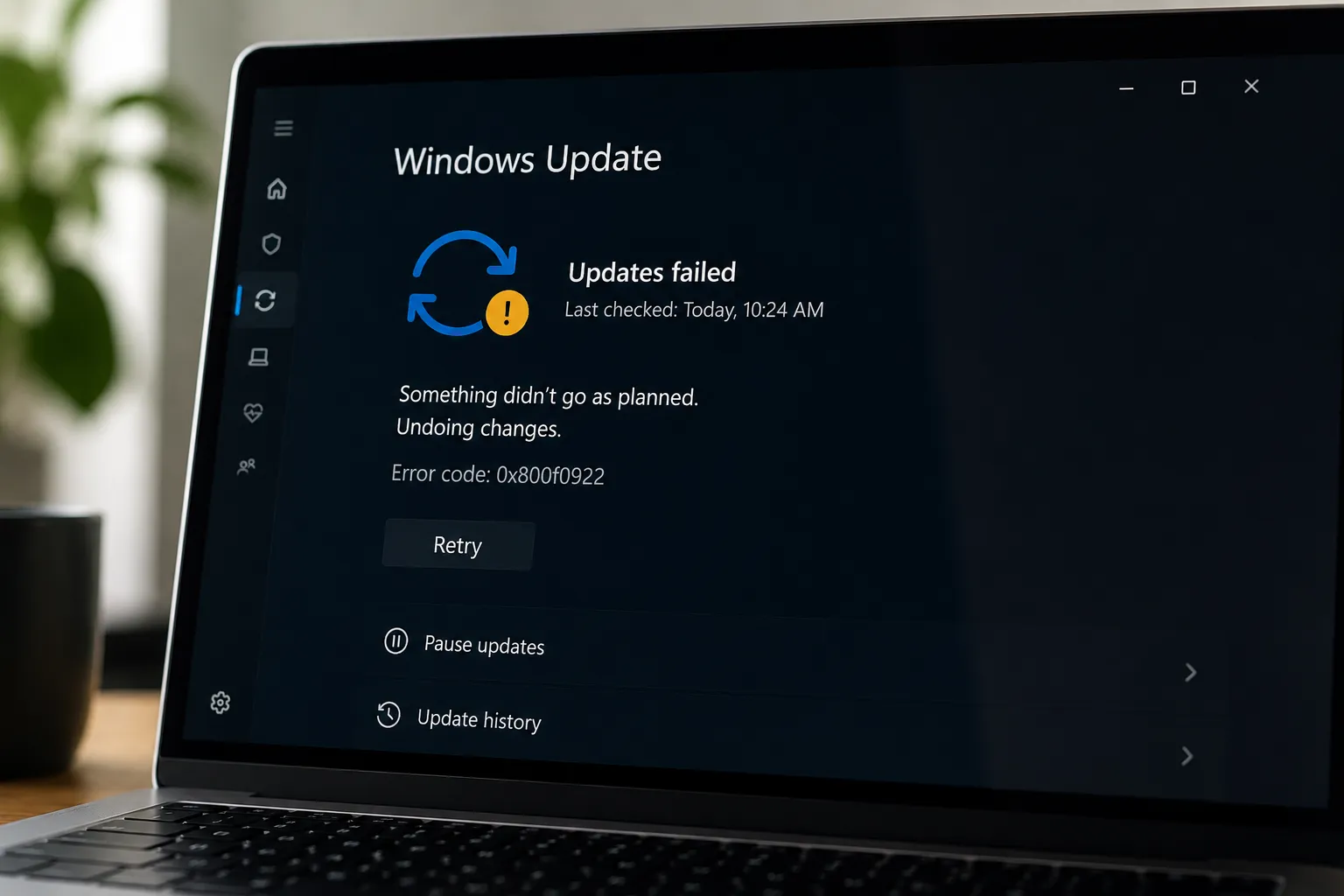
The May 2026 Patch Tuesday update is failing to install on a subset of Windows 11 machines, stalling mid-reboot at roughly 35–36% completion and rolling back with error code 0x800f0922. Microsoft says the issue occurs on devices with limited free space on the EFI System Partition, especially when the ESP has 10 MB or less available; The Register covered Microsoft's disclosure on May 18, 2026. Both Windows 11 24H2 and 25H2 are affected.
The patch covered 120 vulnerabilities, 17 of them rated critical, per BleepingComputer. Machines that have not successfully installed the May security update may remain exposed to vulnerabilities addressed in the release. Microsoft says the issue is mitigated through Known Issue Rollback for consumer and non-managed business devices, while enterprise-managed devices may need a special Group Policy. Admins should still verify installation status before treating affected machines as compliant.
Why the EFI System Partition can run out of space
Microsoft's UEFI/GPT partition guidance lists 200 MB as the minimum ESP size for 512 native and 512e drives, and 300 MB for 4K native drives. Many older OEM systems and devices upgraded in place shipped with 100 MB partitions, a layout described as a "very common OEM configuration" in a Microsoft Q&A discussion dated December 12, 2025. Windows boot files have grown across successive releases, steadily consuming the headroom those partitions never had.
The consequences reach beyond this patch cycle. The same Microsoft Q&A discussion describes Windows 11 24H2 devices with 100 MB ESPs failing to upgrade to 25H2 with 0x800f0922, suggesting the problem can extend beyond a single Patch Tuesday cycle. Without manual partition work or another supported remediation, those machines may remain blocked on that upgrade path.
Expanding the partition is not straightforward. On standard GPT disk layouts, the Microsoft Reserved Partition sits directly adjacent to the ESP, blocking any native extension even when unallocated space exists elsewhere on the drive. A Microsoft Q&A answer describes one manual diskpart.exe path that involves deleting the MSR, expanding the ESP, and recreating the MSR, but that kind of partition work is risky enough that it should be treated as an advanced-admin remediation, not a routine user fix. The same Q&A discussion says Microsoft had not announced an automated ESP auto-resize mechanism comparable to the WinRE resizing logic used for earlier recovery-partition problems.
Windows 11 0x800f0922 error: why the failure appears after reboot
The failure sequence follows a consistent pattern. Windows Update attempts the installation, reaches the SafeOS phase where new boot binaries need to be staged, runs out of partition space, and rolls back. The 0x800f0922 error appears only after the failed reboot. Affected users may see the rollback error only after the failed reboot, rather than a clear warning that the EFI System Partition lacks space. The result is a predictable-looking failure pattern that still requires post-failure investigation.
A structurally identical failure played out in January 2024 with KB5034441, a Windows 10 security update addressing a BitLocker bypass vulnerability. That update failed on machines where the Windows Recovery Environment partition was too small. A coding error compounded the problem: rather than displaying the intended "insufficient disk space" message, the system surfaced a generic 0x80070643 error, leaving users no indication of the real cause, BleepingComputer reported in early 2024. Different partition, same reactive pattern: a detectable constraint, caught only after the failure.
The practical cost for IT teams starts with a vague post-reboot error that requires investigation before the root cause comes into focus. Depending on patch management tooling, the affected machine may or may not be accurately flagged as unpatched. That gap between "update failed and rolled back" and "update was never installed" is where fleet visibility breaks down.
EFI System Partition update failure: what Microsoft's mitigation covers
Microsoft describes the mitigation as a Known Issue Rollback for consumer and non-managed business devices, with a separate registry workaround and Group Policy option for managed environments. The rollback addresses the update behavior that triggers the failure, but it does not resize or repair the EFI System Partition itself.
Mitigating the install failure and confirming patch compliance are not the same task. Before treating affected devices as patched, admins should verify whether KB5089549 actually installed.
For managed environments, Microsoft says administrators may need to install and configure the special Group Policy while a fuller resolution is still in progress. Devices with nonessential files in the ESP, such as bitmap logs or OEM backup folders, may recover enough space by cleaning those files to allow the update to proceed, the Learn thread noted. Devices where the partition is structurally too small face the MSR-adjacency problem and the diskpart.exe path. Neither option has an official automated equivalent to the WinRE partition resizing logic Microsoft deployed for the 2024 recovery partition failure, as described by the earlier cited Microsoft Q&A discussion.
That 2024 case is the closest model for how this kind of enterprise response tends to unfold. Microsoft released PowerShell scripts to apply the BitLocker fix directly to the WinRE partition, bypassing the broken update mechanism. Running those scripts successfully didn't stop Windows Update from continuing to offer KB5034441. Admins still had to manually suppress it using a separate hide-update tool before the repeated failure attempts stopped, BleepingComputer reported. Expect a similar dynamic for any managed device that hasn't yet received the automatic rollback signal for the May issue.
What to check before the next update cycle
Enterprise teams should audit managed devices for ESP free space now. The 100 MB ESP layout is common enough in older OEM deployments and upgrade-path installations that the Learn thread frames it as a population-scale problem, not an edge case. Checking partition size via mountvol, diskpart, or endpoint management tooling is the starting point.
Patch dashboards may be blurring different device states: machines that installed the May update successfully, machines that received mitigation after a failed install attempt, and machines where the update is still failing repeatedly. Admins should verify the actual KB installation status before treating any affected system as compliant. Those situations call for different responses and shouldn't be collapsed into a single compliance status.
Boot-related and recovery-partition update failures have recurred across recent Windows patch cycles, including the January 2024 KB5034441 failure tied to undersized WinRE partitions. The April 2026 security update triggered another BitLocker recovery issue on devices with specific TPM validation configurations; Microsoft says KB5089549 also fixed a BitLocker recovery issue affecting Windows 11 24H2 and 25H2 devices with certain TPM validation settings after the April 2026 security update. Each incident was treated as a discrete known issue. None produced a visible change to how Windows Update handles boot-partition constraints before attempting an installation.
The structural question Microsoft hasn't answered is whether Windows Update will ever include pre-flight partition space checks. The condition triggering the current failure is deterministic and entirely detectable in advance, per the Learn thread. Until Windows surfaces these constraints earlier in the update process, future updates that touch boot-related partitions may continue to collide with older disk layouts. For admins, the safer takeaway is to treat ESP size as a fleet-health check, not just a one-cycle Patch Tuesday problem.




Comments
Be the first, drop a comment!