






Microsoft has made two distinct bets on how Office work should start and progress. The first: users should generate documents, spreadsheets, and presentations from a chat interface before they ever open an app. The second: once inside Word, Excel, or PowerPoint, Copilot should edit files directly rather than queue up suggestions for a person to apply. Both are now live, moving Copilot from a sidebar assistant toward both file creation in chat and direct editing inside apps. Access is broad, but the full feature set is not — and that distinction matters before anything else.
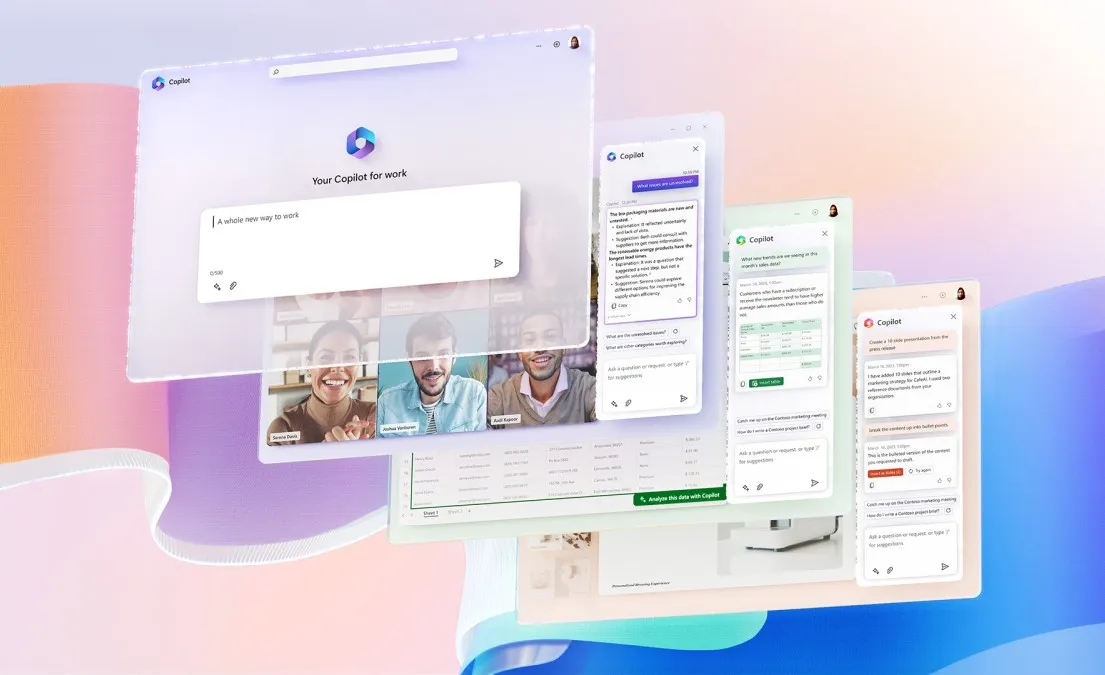
These are not variations on the same feature. Microsoft Copilot Chat for Word, Excel, and PowerPoint, accessed through the M365 Copilot app, can generate first-draft documents, spreadsheets, and presentations from a chat prompt, Computerworld reported in May 2026. Copilot Agent Mode, now the default experience inside those three apps for qualifying subscribers, goes further: it drafts, restructures, and directly edits an open file without the user manually applying each change, Office Watch reported in April 2026. The two changes together represent a meaningful shift in how Microsoft has positioned Copilot's role in everyday Office work.
Your subscription determines what you get
The access situation for large enterprise users has also tightened. Microsoft recently removed Copilot Chat from the in-app sidebar inside Word and other M365 desktop apps for enterprise users without the add-on license. The M365 Copilot app is now their only access point, leaving non-licensed enterprise users dependent on a separate interface rather than the one built into their apps.
Microsoft is also adjusting how Copilot appears inside Word, Excel, and PowerPoint after user complaints about its floating button, as reported by The Verge. The company recently added a Dynamic Action Button in the lower-right corner of the apps, but it now says users can move that button back to the ribbon by right-clicking it. The change matters most in Excel, where a floating button can cover cells and interrupt spreadsheet work.
On personal plans, the picture is different but still gated. Copilot access belongs solely to the account holder and cannot be shared with Family or secondary Premium users. The Analyst agent, which handles cross-file analysis and forecasting, is restricted to Microsoft 365 Premium subscribers or business users with the Copilot add-on. Agent Mode as the default applies to M365 Copilot business and enterprise add-on holders and M365 Premium subscribers; Personal and Family plan users can access it but are subject to AI credit limits, Computerworld and Office Watch both confirmed.
In practical terms, Personal and Family users can try Copilot with usage limits, SMB users may get basic Copilot Chat without the full premium in-app experience, enterprise users without the add-on must use the M365 Copilot app, and paid Copilot or Premium subscribers get the most complete version.
The rest of this article focuses on what the new workflows can do, while noting where access depends on plan, license, and tenant configuration.
How Copilot Chat creates Word, Excel, and PowerPoint files
From the Microsoft 365 Copilot app, users invoke a Word, Excel, or PowerPoint agent either by selecting it from a sidebar list or typing @Word, @Excel, or @PowerPoint in the chat box. A plain-language prompt kicks off file generation: describe a project proposal, a Q4 sales spreadsheet, a ten-slide sustainability deck. The Word, Excel, and PowerPoint agents were rolling out to general availability in chat from March 2026, according to the Microsoft 365 Blog. Availability can still depend on a user's plan, tenant settings, and whether the required AI model access is enabled.
The generated file appears in a pane on the right and saves automatically to the user's OneDrive Documents folder. Follow-up prompts refine it: adjusting tone in a Word document, adding a calculated column to an Excel sheet. One workflow detail worth knowing: refining an Excel spreadsheet or PowerPoint presentation in chat requires the user to manually attach the file to the chat box first before entering the follow-up prompt. Once satisfied, users click through to open the file in the relevant web app for final editing.
Users with Microsoft 365 Premium or a business Copilot add-on can go further with the Analyst agent. Rather than generating new files, it works on existing ones: attach a sales spreadsheet to identify which product category is growing fastest, generate a January forecast from Q4 historical data, or compare two document versions to surface key differences, according to Computerworld. That extends Copilot Chat beyond first-draft creation into cross-file analysis, positioning it as a layer over a user's existing file library rather than just a file generator.
Chat-based creation suits users who need a structured first draft and do not yet have a file to work from. Users who already have a file open can use the second path: Agent Mode inside Word, Excel, and PowerPoint.
Agent Mode inside Word, Excel, and PowerPoint
Copilot Agent Mode is now the default experience inside Word, Excel, and PowerPoint for Microsoft 365 Copilot and Microsoft 365 Premium subscribers, and it is also available to Microsoft 365 Personal and Family users. The core change: rather than suggesting what a user should do, it works directly on the open file and makes the changes itself. A sidebar tracks each step as it completes, like watching a to-do list get checked off in real time. In Word, that means drafting, rewriting, restructuring, and reformatting in a single operation. In Excel, it inserts formulas, builds tables, and adds complete sheets. In PowerPoint, it updates a deck while respecting company template fonts, colors, and layout conventions.
Excel's recent updates include Plan mode and Python support, with Python support rolling out in May 2026. Plan mode lets users preview exactly what Copilot intends to do before anything in the workbook is changed, which data it will touch, which steps it will take, and then adjust the plan before committing. Python support lets Copilot run multi-step data transformations, generate charts, and complete complex analysis without the user leaving the workbook; Copilot invokes Python automatically when the task warrants it, or when the user requests it explicitly, according to Microsoft's April 2026 Copilot update.
PowerPoint's format standardization, which lets Copilot update fonts, sizes, and bullet styles across an entire presentation in a single command, rolled out in March, and Word's automatic citation display, which surfaces sources whenever Copilot draws from web content or Work IQ material during an editing session, also rolled out in March. April brought additional capability: PowerPoint can now pull in public web pages as grounding material when building a new deck, generate an initial slide outline from a referenced URL, and offer image model choices such as GPT-Image, Flux, or an auto setting.
How Microsoft is trying to make AI edits more trustworthy
Autonomous file editing creates an obvious problem: users need to know what changed, why it changed, and whether to trust it, particularly in files with financial or professional stakes. Microsoft has added several mechanisms to address this. No independent benchmarks on how well they perform in practice appear in the source material reviewed for this article.
The step-tracking sidebar in Agent Mode shows each action as Copilot completes it, which is more transparent than a finished edit presented without context. Among the transparency controls Microsoft has announced, Plan mode is the most explicit pre-edit preview: it presents the full intended sequence of changes and data dependencies before execution, giving users a meaningful opportunity to redirect or cancel before anything is applied, Office Watch and the Microsoft Tech Community blog both confirm. It applies specifically where autonomous AI editing carries the highest stakes: complex spreadsheet work.
PowerPoint's image model choices, including GPT-Image, Flux, or an auto setting, give users some agency over visual generation within a deck, though the practical difference between model outputs will vary by use case and has not been independently benchmarked.
What's still missing is worth naming. Microsoft has said deeper transparency features are in development, ones that would explain not just what Copilot changed but why it made each decision, Office Watch reported. Those don't exist yet. The controls currently available are sensible on paper; whether they prove sufficient at scale is the next question the rollout will have to answer.
What it means for Office users
The capability set has moved fast. Since March, Microsoft has shipped general availability for the Word, Excel, and PowerPoint chat agents, defaulted to Agent Mode for qualifying subscribers, added Plan mode and Python support in Excel, and extended PowerPoint's grounding to public web pages, all according to the Microsoft 365 Blog and Microsoft Tech Community updates. The per-app feature work shows Microsoft calibrating AI behavior to the specific trust requirements of each application rather than applying a single chatbot layer across the suite.
That's a real distinction, but the evidence is still mostly Microsoft-led. There is not yet much independent data on editing accuracy, Python-powered analysis reliability, or real-world productivity impact. The harder test, whether professionals trust autonomous editing in files that carry real consequences, and whether Plan mode and step tracking hold up as sufficient controls, will play out over the months ahead. Microsoft is betting that more visible controls will make autonomous editing feel safer, but the evidence is still accumulating.






Comments
Be the first, drop a comment!