



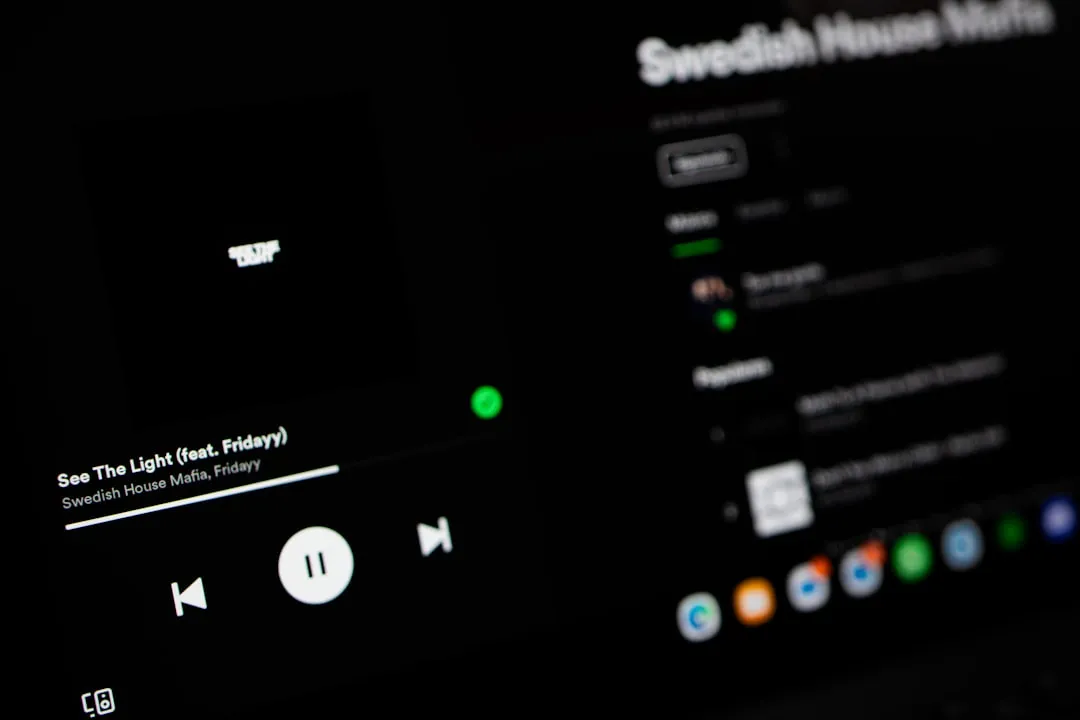
Spotify has been quietly working on something that audiophiles have been requesting for years. The streaming giant recently introduced Exclusive Mode to its Windows beta app, marking a significant shift in how the platform handles audio output. This development addresses a long-standing limitation where the Windows app routes audio through the system mixer, potentially altering the signal through resampling and volume adjustments.
For users who've invested in quality DACs and headphones, this update represents a fundamental change in how Spotify delivers audio to their hardware. The timing couldn't be better, as Spotify Premium now offers lossless streaming, making it crucial to unlock its full potential for Windows users.
What Exclusive Mode actually does for your audio
When you enable Exclusive Mode, you're fundamentally changing how your audio travels from Spotify to your speakers or headphones. Instead of sharing the audio pathway with other applications, Exclusive mode output is finally available in Spotify beta, giving the app direct control over your audio hardware.
This approach ensures that the audio stream is delivered untouched to the DAC, bypassing Windows' built-in audio processing entirely. Think of it like getting a direct line to your audio equipment instead of going through a busy switchboard that might add delays or modifications.
The technical benefits are measurable and impressive. According to recent testing, disabling Windows Audio Enhancements reduces resampling artifacts by 92%, while enabling Exclusive Mode cuts ASIO-like latency from 42 ms to 14 ms. That's a dramatic improvement that translates to more precise imaging, cleaner transients, and a noticeably more immediate soundstage—the kind of improvements that make you rediscover details in songs you've heard hundreds of times.
What this means for your listening experience is immediate: vocals sound more present and natural, instrument separation becomes clearer, and the overall presentation feels less "processed." You're hearing what Spotify's algorithms and compression intended, not what Windows decided to do with it afterward.
Why WASAPI exclusive beats the alternatives
The choice to implement WASAPI exclusive mode instead of other audio protocols wasn't arbitrary, and it definitely wasn't the easy path. While some users initially expressed preference for ASIO support (and you can understand why—it sounds more professional), WASAPI exclusive might make more sense since it doesn't require installing extra drivers.
Here's where things get interesting from a technical standpoint. ASIO isn't free, it's Steinberg property, requiring licenses, per-device drivers, and ongoing updates. But even more importantly for most users, most consumer Hi-Fi DACs don't even support ASIO, making it impractical for mainstream adoption.
The reality is that ASIO was designed for a different purpose entirely. Its real purpose is low-latency, multi-channel recording and sample-accurate synchronization, none of which matter for Spotify or Hi-Fi streaming. It's like using a Formula 1 race car to commute to work—technically impressive, but overkill for the actual task.
In contrast, WASAPI Exclusive is baked into Windows, works across nearly every DAC, gets continuous OS-level updates, and delivers bit-perfect playback without extra overhead. This universal compatibility means whether you're using a $100 USB DAC or a high-end audio interface, you get the same transparent connection without hunting for specialized drivers or worrying about compatibility updates.
As one community member put it, choosing WASAPI isn't just about convenience—it's technically correct for consumer hifi streaming, and the notion that ASIO would inherently be 'better' here is completely naive.
The practical limitations you need to know
Before you get too excited about Exclusive Mode, there are some important trade-offs to understand. This isn't a magic bullet that makes everything better without consequences.
When Spotify takes exclusive control of your audio hardware, other applications lose access to sound output entirely. This means no system notifications, no Discord alerts, and no ability to quickly switch between Spotify and YouTube videos without manually disabling the feature. The exclusivity works both ways—your audio setup becomes a single-purpose pipeline while active.
It's like reserving an entire lane of highway for just one car. You get perfect, uninterrupted flow, but nothing else can use that lane while you're driving. This limitation extends beyond just convenience—it's a fundamental consequence of how exclusive access works at the operating system level.
Sample rate optimization becomes critical with Exclusive Mode enabled. Capping Spotify's sample rate to match your DAC's native capability prevents unnecessary upsampling that can actually degrade audio quality. For users with USB-C headphones that typically operate at 44.1 kHz, getting this setting wrong can make your audio sound worse than standard mode. The exclusivity means Windows can't automatically handle these mismatches like it normally would.
Bluetooth connections won't benefit from this feature at all, as they introduce their own compression and processing that negates the advantages of bit-perfect playback. If you're using wireless headphones, you can skip this feature entirely—the Bluetooth codec will be your limiting factor regardless.
These limitations aren't deal-breakers, but they do require users to be more intentional about when and how they use Exclusive Mode. It's a tool for dedicated listening sessions, not casual background music.
How this changes the streaming landscape
Spotify's addition of Exclusive Mode represents more than just a feature update—it's a strategic move to compete directly with audiophile-focused services. Previously, platforms like Tidal and Qobuz held a clear advantage by offering bit-perfect lossless audio through WASAPI exclusive mode options that Spotify simply couldn't match.
Now, Spotify can legitimately claim to allow audiophiles and Hi-Fi users to enjoy Spotify at its highest fidelity, making it a true alternative to other lossless services for critical listening on Windows.
This development addresses years of user requests, with some community members noting they've been waiting for a decade for this capability. That patience signals a dedicated user base willing to stick with Spotify despite technical limitations—and now they're being rewarded for that loyalty.
The competitive implications extend beyond just feature parity. Spotify's approach removes one of the last technical barriers that kept serious listeners tied to specialized streaming services. Combined with Spotify's superior recommendation algorithms and massive catalog, this could shift the calculus for users who previously accepted inferior discovery features in exchange for better audio quality.
For other mainstream platforms like Apple Music and Amazon Music, this move creates pressure to either match Spotify's technical capabilities or find new ways to differentiate themselves. The audio quality playing field is becoming increasingly level, which ultimately benefits everyone who cares about how their music sounds.
Setting up Exclusive Mode for optimal performance
To make the most of Spotify's Exclusive Mode, you'll need to approach setup methodically. First, ensure you're running the Windows beta version of Spotify—this feature isn't available in the standard release yet. You can access beta versions through Spotify's website or by joining their beta testing program.
PRO TIP: Before enabling Exclusive Mode, check your DAC's native sample rate specifications. Most consumer USB DACs operate at 44.1 kHz, but professional interfaces might support 48 kHz or higher. Matching Spotify's output to your hardware's preference prevents unnecessary resampling.
Once you've enabled the feature, plan your listening sessions accordingly. Exclusive Mode works best when you can dedicate your audio setup to music alone—perfect for evening listening sessions or focused work periods, but impractical when you need system sounds or multiple audio sources.
For the best results, disable Windows Audio Enhancements before enabling Exclusive Mode. This combination delivers the maximum reduction in artifacts and latency. Skip any third-party audio "enhancers" or equalizers, as they'll interfere with the bit-perfect signal path you're trying to achieve.
The transformation from convenience-focused platform to critical listening tool represents a significant win for Windows users who've felt overlooked by mainstream streaming services. By choosing WASAPI exclusive over more complex alternatives, Spotify demonstrates they understand their user base and prioritized compatibility over impressive-sounding specifications.
While the feature currently exists in beta, its thoughtful implementation suggests Spotify is serious about competing in the high-fidelity audio space. For Windows users with quality audio setups, this update finally eliminates the compromise between Spotify's catalog and recommendation excellence versus the technical audio quality of specialized streaming services.






Comments
Be the first, drop a comment!