





Windows 10 End of Support Security: How to Choose Your Migration Path
Windows 10 end of support security became a live problem on October 14, 2025, when Microsoft stopped delivering security patches, quality updates, and technical support to standard Windows 10 users. Machines that haven't migrated since then receive no fixes for newly discovered vulnerabilities, and that exposure compounds with every month that passes.
The scale is significant. Around 35% of all Windows users were still running Windows 10 when the cutoff arrived, according to StatCounter via KQED. Consumer advocates estimate that up to 400 million of those machines cannot meet Windows 11's hardware requirements, KQED reported. Windows 10 computers will continue to function, but Microsoft recommends upgrading eligible PCs to Windows 11 or transitioning to new hardware for the most secure computing experience, Microsoft Learn states.
Four paths exist: upgrade eligible hardware for free, purchase Extended Security Updates to buy time, replace hardware that can't qualify, or in specific deployment scenarios, migrate to Windows 365. Which one fits depends on hardware eligibility, budget, and how much runway an organization needs.
Stay secure after Windows 10 end of support: finding your path
Hardware eligibility is the first question. Machines that meet Windows 11's minimum requirements can upgrade free of charge. Machines that don't have two practical options: the Extended Security Updates program provides a structured window to plan replacement, or new hardware resolves the problem outright.
One approach that doesn't resolve it: stacking more third-party security tools onto an unsupported OS. Organizations running 11 or more security tools reported roughly 40% more annual data security incidents than those with more consolidated toolsets, per Microsoft's 2024 Data Security Index. More tools on a broken foundation doesn't produce better outcomes. Some policy-driven management controls also require an enterprise license, meaning administrative tooling available to large organizations isn't uniformly accessible to smaller ones, Microsoft confirms.
Path one: upgrade eligible machines to Windows 11
Who this fits: Any user or organization with hardware that meets Windows 11's minimum requirements.
Upgrading eligible machines remains free, and it's the only path that fully restores a supported security posture. Microsoft calls Windows 11 "a more modern, secure, and highly efficient computing experience," and KQED reported that users have seen roughly 62% fewer security incidents on Windows 11 than Windows 10. That figure originates from Microsoft's own positioning, cited through external reporting rather than an independently published study. The directional case holds regardless: a supported, actively patched OS is fundamentally more defensible than an unsupported one.
The security architecture runs deeper than the OS layer. Secure laptops ship with encryption keys built into the Trusted Platform Module during manufacturing, and firmware safeguards with verified boot processes enforce security policies before the OS loads, establishing a hardware-rooted baseline that software-only measures cannot replicate, Microsoft explains. Secured-core PC protection, the Microsoft Pluton security processor, and Windows Hello Enhanced Sign-in Security are built into Copilot+ PCs as standard defaults, per Microsoft Learn capabilities that most Windows 10-era machines simply predate.
Microsoft recommends Windows Autopatch and Intune for managing staged rollouts across eligible fleets, Microsoft Learn notes. Priority devices are internet-facing endpoints, machines handling sensitive data, and any device without compensating controls.
Path two: Extended Security Updates for organizations that need a runway
Who this fits: Organizations with ineligible or not-yet-replaced hardware that need structured time to plan and execute a migration.
ESU is a paid program that delivers critical and important security patches only. What it explicitly does not include: new features, general technical support, and broader quality or reliability fixes. Microsoft will assist with challenges related to ESU license activation, installation, and regressions introduced by the ESU itself, and that is the full scope, per Microsoft Learn. A narrowly scoped patch delivery service, not a support contract.
The enrollment constraints have real teeth. Devices must be running Windows 10 version 22H2; earlier versions are excluded. The program runs in annual increments beginning November 2025, partial periods aren't available, and pricing is cumulative: an organization enrolling in Year Two must also pay for Year One. Commercial and educational organizations can extend coverage for a maximum of three years past the end of support date, creating a hard outer deadline of October 2028, Microsoft Learn confirms.
Regional and sector carve-outs exist and should be verified before purchasing. Following advocacy campaigns, Microsoft extended free Windows 10 security updates to U.S. schools through 2027, and offered a year of free extended support to Windows 10 users in the European Economic Area, KQED reported. Organizations in those categories should confirm eligibility before committing to paid subscriptions.
ESU doesn't close the hardware security gap. Machines running Windows 10 lack the firmware-rooted protections that Windows 11-era devices provide by default. ESU patches known software vulnerabilities; it doesn't retrofit the underlying security architecture. Plan migration within the ESU window, not after it, as Microsoft's own program terms make clear.
Path three: hardware replacement and when a Windows 11 security upgrade to Copilot+ makes sense
Who this fits: Users and organizations whose hardware cannot run Windows 11, or whose planned refresh cycle aligns with end of support timing.
For the estimated 400 million machines that cannot meet Windows 11's hardware requirements, according to KQED, replacement is the only durable path. Standard Windows 11 hardware delivers TPM-based encryption, firmware verification, and Secured-core protections: the security architecture that distinguishes Windows 11 from its predecessor at the hardware level.
Copilot+ PCs are the premium tier within hardware replacement, not a separate migration category. They're Windows 11 devices with three additional characteristics: a neural processing unit capable of over 40 trillion operations per second for on-device AI workloads, Secured-core PC and Microsoft Pluton as standard defaults, and AI-specific features unavailable on standard hardware, Microsoft describes. Practical requirements include a minimum of 256 GB storage with at least 50 GB free, and features like Recall require Windows Hello Enhanced Sign-in Security and are available only on specific Copilot+ hardware configurations. For most organizations replacing Windows 10 fleets, standard Windows 11 hardware addresses the core security problem. Copilot+ makes sense where the AI features and default security configurations justify the additional cost.
The replacement burden isn't abstract. One consumer spent approximately $1,500 to replace an ineligible machine and have files and software migrated, KQED reported. CALPIRG and other organizations warned Microsoft CEO Satya Nadella in an open letter that the Windows 10 transition could produce the "single biggest jump in junked computers ever," noting that less than a quarter of electronic waste is currently recycled, KQED reported. The security argument for replacement is sound. The affordability and environmental costs are real, and they fall disproportionately on users least able to absorb them.
Windows 365 security for businesses in specific deployment scenarios
Who this fits: Organizations with distributed workforces, device-agnostic requirements, or existing deep integration with Microsoft 365.
Microsoft positions Windows 365 as a cloud-hosted Windows 11 environment accessible from any device, including existing Windows 10 hardware that cannot otherwise be upgraded, per Microsoft Learn. The appeal is clearest for organizations managing geographically dispersed endpoints, contractors using mixed hardware, or environments where maintaining a consistent physical fleet is operationally difficult.
Windows 365 is a workaround for specific scenarios, not a general substitute for hardware replacement. Organizations considering it as a primary migration path should evaluate connectivity requirements, licensing costs at scale, and fleet management complexity against the cost of a standard hardware refresh before committing.
Where it fits most clearly: organizations already operating heavily within Microsoft 365, those needing to extend secure Windows access to users on non-Windows or aging hardware, or those with regulatory or geographic constraints that make device standardization difficult. Where it fits least: organizations with high-performance compute needs, strong on-premises infrastructure, or sensitivity to per-user cloud licensing costs at scale.
Choosing your path: a quick reference
| Scenario | Recommended path |
|---|---|
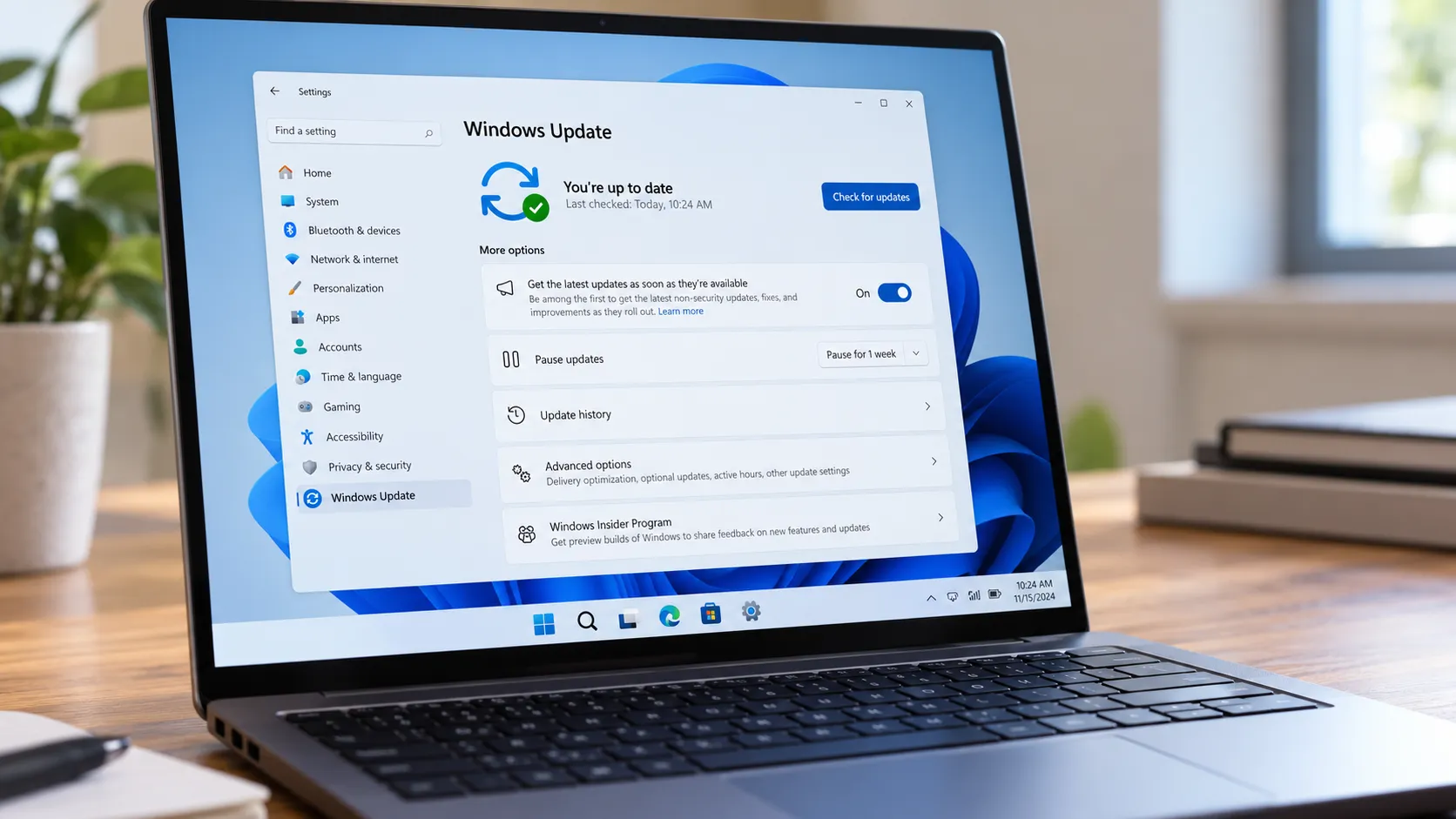
| PC meets Windows 11 hardware requirements | Upgrade free via Windows Update, Windows Autopatch, or Intune |
| PC cannot upgrade; replacement planned within 12-24 months | Enroll in ESU (confirm 22H2 eligibility; budget annually) |
| PC cannot upgrade; no near-term replacement budget | ESU as bridge; verify regional/sector carve-outs first |
| Hardware replacement underway; standard security baseline needed | Any Windows 11-certified device |
| Hardware replacement underway; want default premium security and AI features | Copilot+ PC (verify storage and Windows Hello ESS requirements) |
| Distributed workforce; device-agnostic environment | Evaluate Windows 365 with full cost and connectivity modeling |
Home users with eligible hardware can upgrade through Windows Update at no cost. Home users with ineligible hardware should weigh the options carefully: Microsoft has warned that failing to keep a computer updated poses security risks, per Marketplace, and running Windows 10 without patches or ESU is a calculated risk, not a strategy.
Small businesses should check hardware eligibility first and replace ineligible machines on a rolling schedule, prioritizing by exposure level. ESU covers the transition period, but its support scope is limited to ESU-related issues only.
Enterprise IT teams managing machines still in ESU should document migration targets with hard deadlines inside the three-year coverage window. Copilot+ deployment decisions belong in hardware refresh cycle planning, not in the end-of-support response.
October 2028 is the hard stop
There is one path that fully restores a supported security posture: Windows 11, on eligible or replacement hardware. ESU is a legitimate bridge, but it is narrow in scope, capped at security patches, and carries no general support. The hardware gap between Windows 10-era machines and Windows 11-era devices doesn't close with any patch delivery program, as Microsoft's own program terms make clear.
After October 2028, ESU coverage ends and there is no Microsoft-supported path that doesn't involve Windows 11 hardware. Copilot+ PCs are worth evaluating in refresh planning for organizations that want Secured-core PC and Microsoft Pluton as defaults alongside on-device AI capability, Microsoft notes. Standard Windows 11 hardware gets most fleets where they need to be.
What sits underneath all of this is a cost problem that Microsoft's program offerings don't resolve. Up to 400 million users worldwide own machines that cannot run Windows 11 and face replacement expenses with no clean answer from Microsoft, consumer advocates estimate. Microsoft's security rationale is correct. It simply doesn't address what the transition costs the people most affected by it.









Comments
Be the first, drop a comment!