



Windows 11 April 2026 Update BitLocker Recovery: KB5083769 Bug Explained
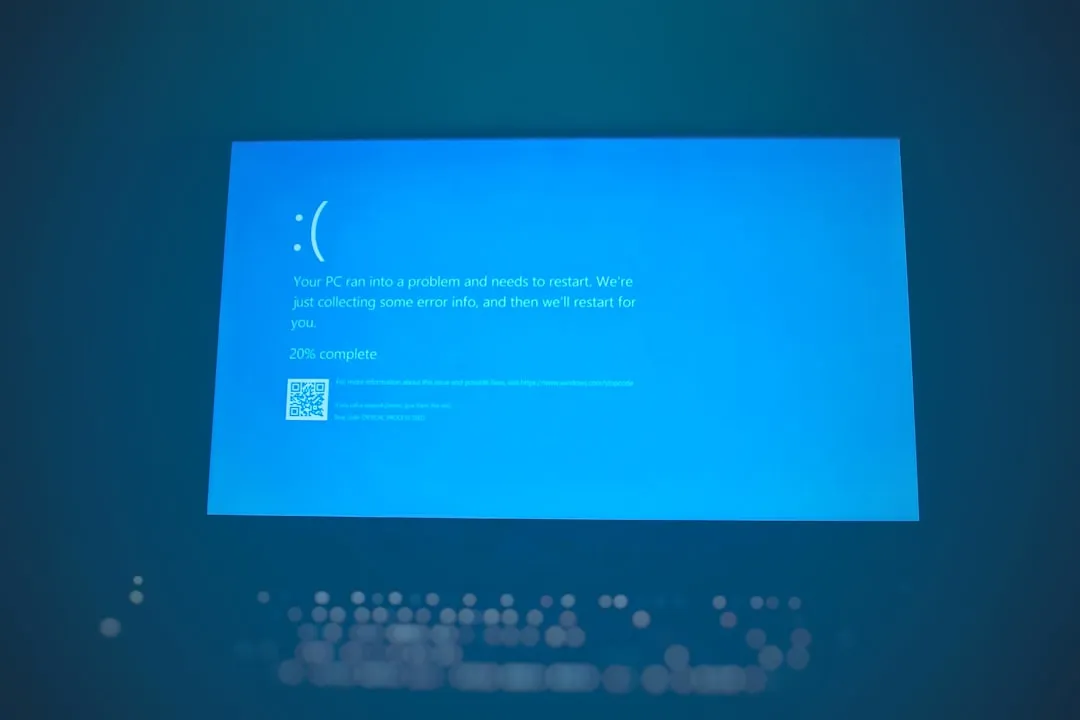
Microsoft's April 14 cumulative update for Windows 11, KB5083769, shipped with a formally documented known issue: devices running a specific non-recommended BitLocker Group Policy configuration may be prompted to enter a recovery key on the first restart after installation, according to Microsoft's support bulletin. Enter the key once, and the machine moves on. That is the confirmed Windows 11 April 2026 update BitLocker recovery issue bounded, documented, and recoverable.
A separate cluster of forum posts describes something a one-time key prompt cannot explain: pixelated screens, automatic-repair cycles, and at least one case requiring a full Windows reinstall. These are two different problems with two different responses. Treating one like the other leads to the wrong fix.
The confirmed issue: what Microsoft's bulletin actually says
Microsoft's support bulletin is precise on two points: the known issue affects devices with "an unrecommended BitLocker Group Policy configuration," and the prompt appears on the first restart only after installing KB5083769. Both qualifiers matter. This is a one-time authentication event, not a persistent failure.
The mechanism involves a misconfigured TPM validation policy governing which Platform Configuration Registers BitLocker uses to verify boot integrity. When KB5083769 modifies something in the boot chain, BitLocker interprets it as a potential tampering event and demands confirmation via the recovery key, Windows Central reported this week. The trigger is a non-default Secure Boot binding applied through Group Policy, not a default consumer configuration.
The issue is not widespread, Windows Central noted it affects a limited number of devices with a specific combination of BitLocker, PCR7, and Secure Boot settings, with managed enterprise machines most exposed. Consumer PCs where BitLocker was enabled automatically during Windows setup are not in this group. Most users installing this update will not encounter it.
Windows 11 KB5083769 boot loop reports: what the forum accounts say and what they don't prove
Some users are describing behavior that a one-time key prompt cannot account for. One account posted to Microsoft Q&A last week describes an HP Pavilion 590-p0044 entering an unresolvable cycle after the update: a mosaic of screen artifacts, a Windows recovery message, a retry option that loops back through the same pixelated screens with no exit, per the thread-(26200-8246)-c). At least one other user in that thread reported needing a full Windows reinstall to get KB5083769 to install at all, per a separate Q&A thread.
The reports share a common shape: the update installs, the machine reboots, and the boot process never completes. But several limits apply before drawing conclusions. The threads include AI-generated responses alongside personal accounts. The sample is small. And Microsoft has not confirmed a second distinct defect in KB5083769 to account for persistent boot failures.
The clearest diagnostic signal is behavioral. A BitLocker recovery key prompt resolves once the key is entered and the machine boots normally. A machine cycling through automatic repair indefinitely does not. That distinction is what separates the documented issue from whatever these forum users encountered.
There is also a plausible alternative explanation for at least some of the boot complaints. Earlier this year, BleepingComputer reported that Microsoft traced boot failures after the January 2026 KB5074109 update to systems left in an unstable state by a failed December 2025 security update. Microsoft's own advisory language was direct: "Attempting to install Windows updates while in this improper state could result in the device being unable to boot." Any machine that silently failed to install the December 2025 update and rolled back could be carrying that instability into April. That would explain a post-KB5083769 boot failure without requiring a new, unconfirmed KB5083769-specific defect to exist. What's still missing from the current forum reports is any confirmation from Microsoft connecting them, or enough user-supplied system detail to establish a pattern distinct from that pre-existing condition.
What to do: two branches, two responses
Before you reboot: locate your recovery key now
Users who want to prepare before the next restart can retrieve their BitLocker recovery key in advance. For most consumer devices it's stored in a Microsoft account at account.microsoft.com/devices, accessible in under a minute. Having it on hand converts a potential problem into a non-event.
IT administrators have a more specific task. Auditing whether any Group Policy object applies a non-default TPM validation policy is the right starting point. If one does, resetting it to "Not configured" and re-enabling BitLocker on affected machines before deploying the update is the mitigation Windows Central describes based on current documentation.
Branch 1: you see a Windows 11 April update recovery key prompt on first restart
Enter the recovery key when prompted. This is the documented, expected behavior for devices in the affected configuration. It is not data loss, and it does not indicate a deeper failure. The system should boot normally afterward and will not prompt again.
Branch 2: the PC is stuck in a boot loop
You are likely outside the documented BitLocker issue entirely. The path into the Windows Recovery Environment requires interrupting startup deliberately: power on, wait for the loading animation, then hold the power button for five to ten seconds to force a shutdown. Repeat this twice. On the third attempt, Windows should present the recovery menu, per the Microsoft Q&A thread-(26200-8246)-c). This is standard guidance for update-related boot failures, not a Microsoft-confirmed fix for a KB5083769-specific loop defect.
Work the escalation ladder in order, least destructive first:
Uninstall the update via Troubleshoot > Advanced Options > Uninstall Updates
Roll back to a restore point created before KB5083769 installed (Troubleshoot > Advanced Options > System Restore)
Reset the PC with "Keep my files" selected, choosing a local reinstall when prompted
A full reset removes installed apps and some settings while preserving personal data. Sequence matters each step above it is meaningfully less disruptive.
Where things stand
The confirmed issue with KB5083769 is real and recoverable. Microsoft's bulletin documents it plainly: some devices with an unrecommended BitLocker Group Policy configuration may be required to enter a recovery key on the first restart after installing this update. That is the full extent of what Microsoft has confirmed.
The persistent boot-loop reports are a different matter. They are real as user accounts, but not yet confirmed by Microsoft as a distinct April defect. Some may trace back to the update-state instability Microsoft identified after the December 2025 update cycle rather than anything new in KB5083769, as BleepingComputer reported in late January. Microsoft has issued no pause recommendation for KB5083769 and has not added any Known Issue Rollback beyond the documented BitLocker prompt as of today.
Any formal confirmation of a broader boot defect would most likely appear in Microsoft's support bulletin first. That's the one worth watching.











Comments
Be the first, drop a comment!